Client BEOClient BEO
Data klien pemesan event.Client data.
Menyimpan profil klien untuk dipakai saat membuat BEO.Stores client profiles, used as a reference when creating a BEO.
Alur PenggunaanUsage Flow
- Buka menu Klien BEO.Open the BEO Client menu.
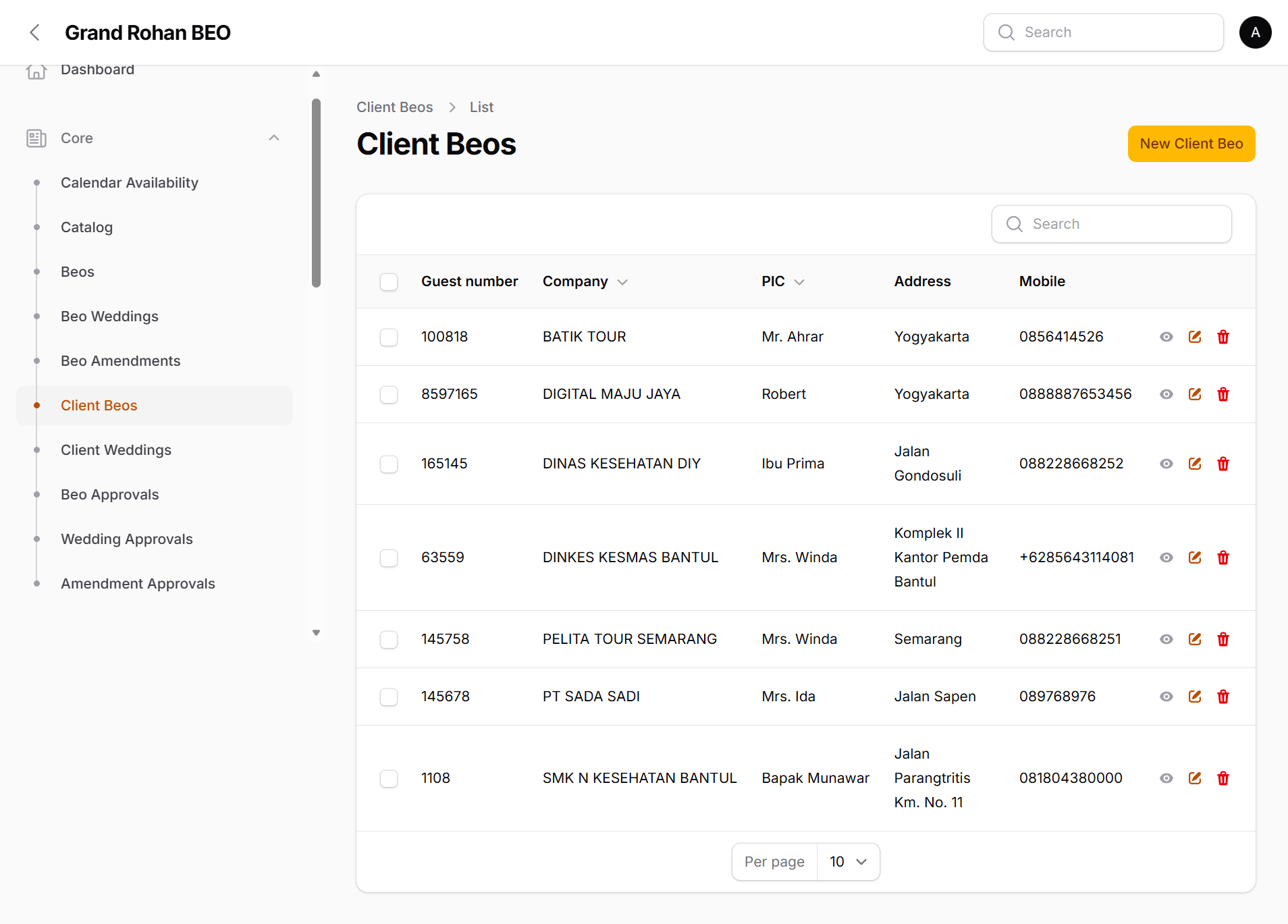
- Klik New Client BEO Buat Baru untuk menambah klien.Click New Client BEO to create a new client.
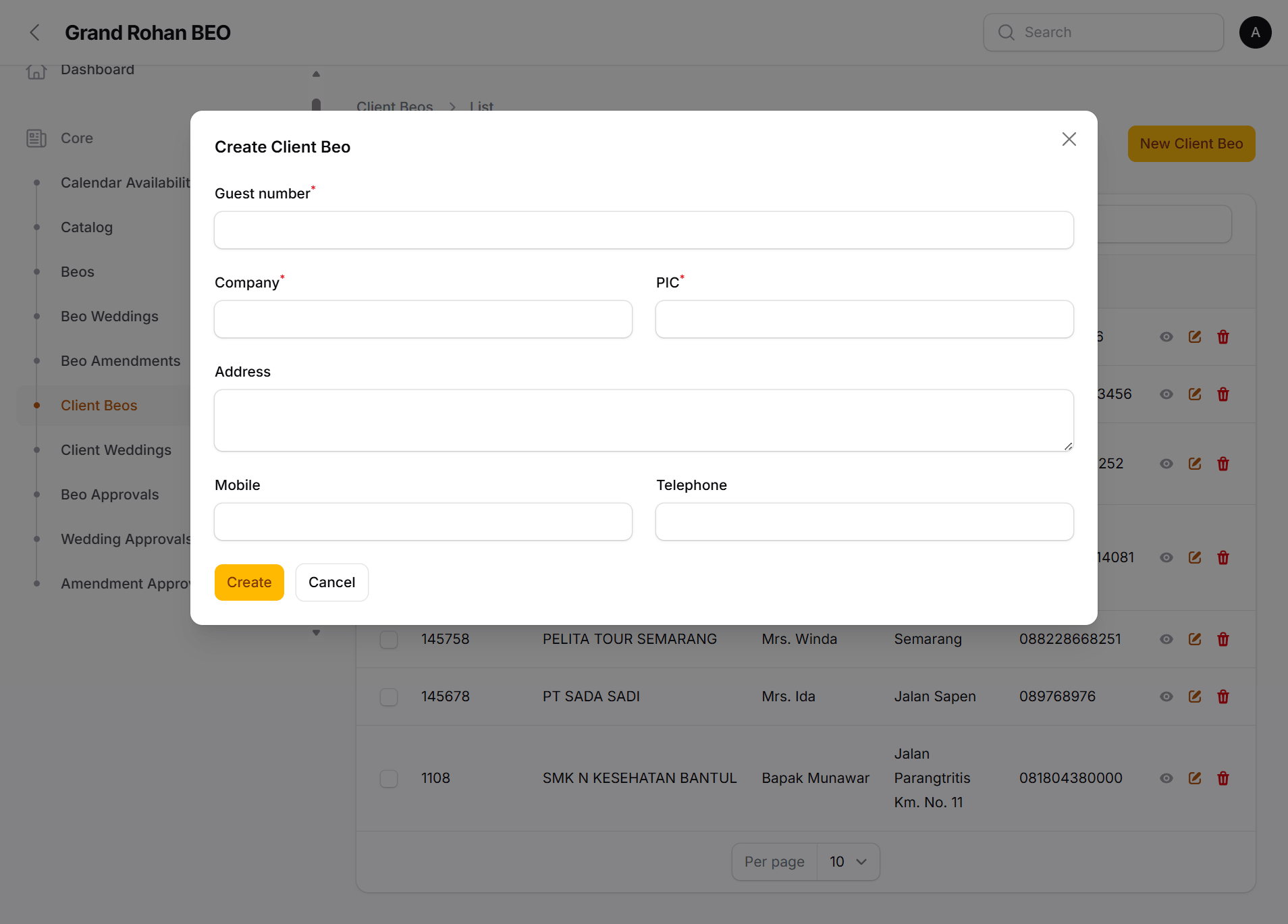
- Isi Company, PIC, Guest Number, Alamat, dan kontak.Fill in Company, PIC, Guest Number, Address, and contacts.
- Simpan. Klien siap dipilih saat membuat BEO.Save. The client is now selectable when creating a BEO.
Data yang diisiData to fill in
- CompanyCompany: Nama perusahaan / client yang memesan.Company / ordering client name.
- PICPIC: Nama penanggung jawab pesanan.Name of the person responsible for the order.
- Guest NumberGuest Number: Nomor id Tamu.Guest id number.
- AddressAddress: Alamat perusahaan.Company address.
- MobileMobile: Nomor HP kontak.Contact mobile number.
- TelephoneTelephone: Nomor telepon kantor.Office telephone.
TipsTips
- Buat satu data per perusahaan agar tidak ada duplikat.Create one record per company to avoid duplicates.